
Lê Triệu Phú
Intern
Trong bài viết này, em sẽ hướng chi tiết các bước cài đặt Sophos Server Protection và cách bật tính năng Update Cache và Message Relay.
I. Các bước cài đặt Sophos Server Protection:
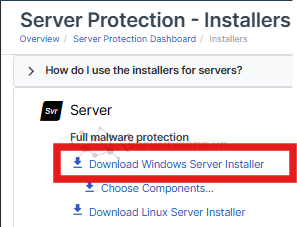
Bước 1: Tương tự như cài đặt trên Linux Server. Tuy nhiên, phải tải file về máy của mình.
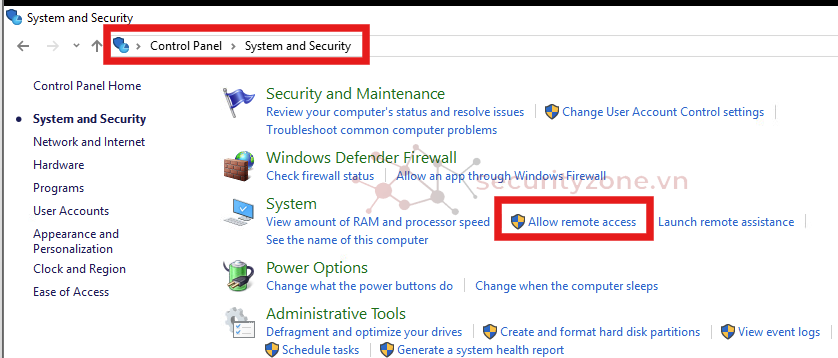
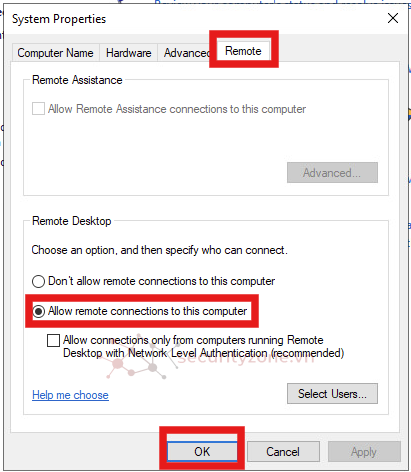
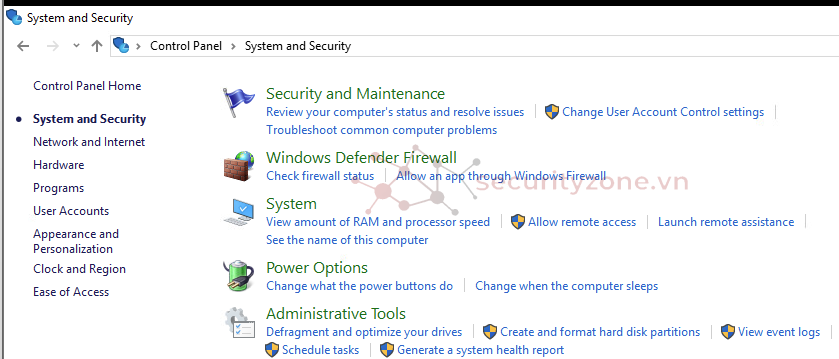
Bước 2: Bật Remote Desktop trên Server. Control Panel -> System and Security -> Allow remote access -> Tag Remote -> Chọn Allow remote connection to this computer -> OK
Bước 3: Remote Desktop từ máy tính cá nhân đến Server.
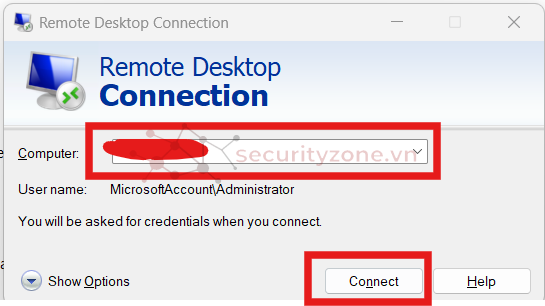
Nhập IP Server và nhấp "Conntect":
Nhập Username và Password của Server
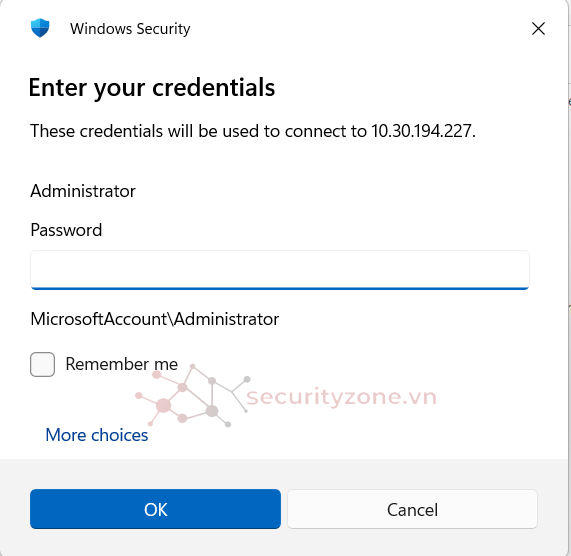
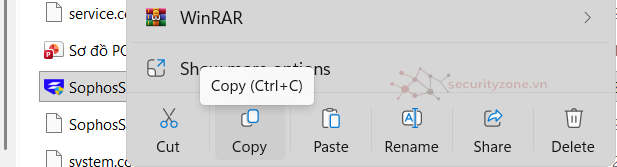
Bước 4: Copy file tải ở bước 1 và dán vào thư mục trên Server.
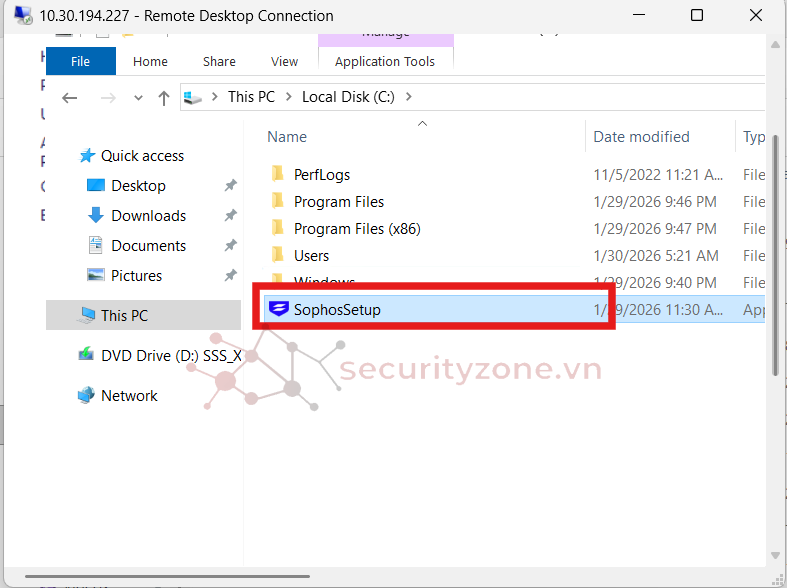
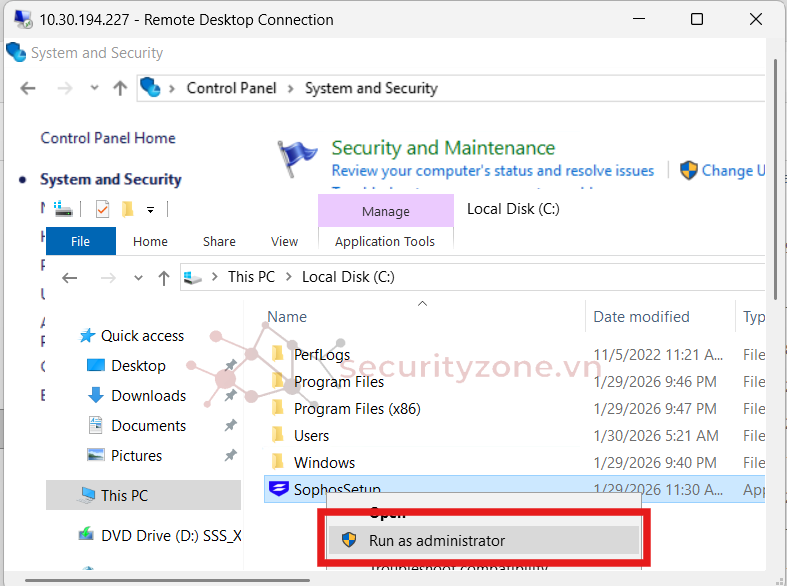
Bước 5: Khởi chạy file với quyền Admin và đợi cài đặt
II. Bật tính năng Update Cache và Message Relay.
Bước 1: Truy cập và đăng nhập - https://www.sophos.com/en-us/products/sophos-central/free-trial
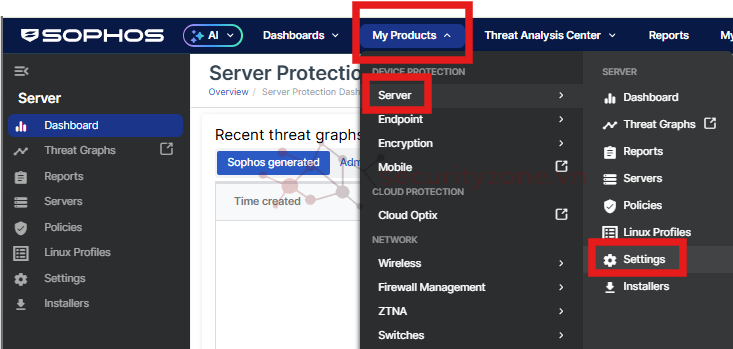
Bước 2: Chọn My Products -> Server -> Settings
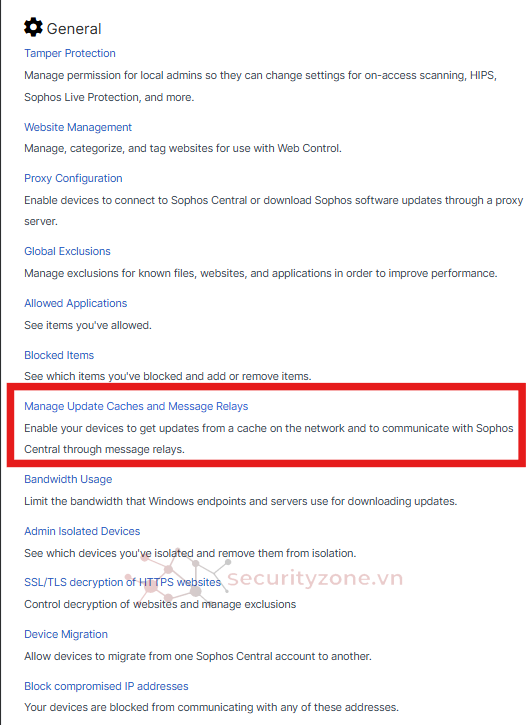
Bước 3: Chọn Manage Update Caches and Message Relays
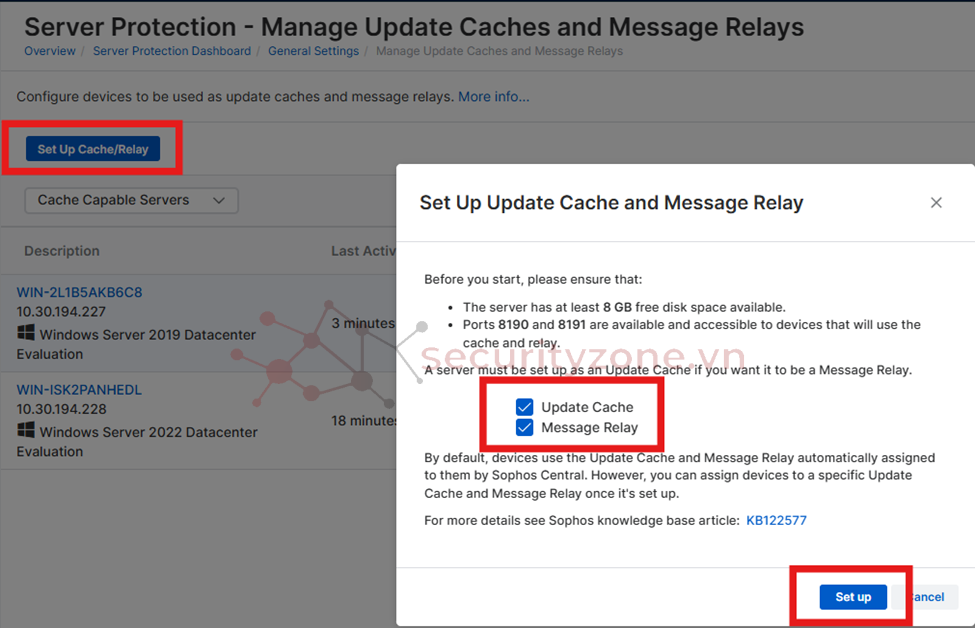
Bước 4: Chọn Set Up Cache/Relay. Tick vào Update Cache và Message Relay, sau đó chọn Setup.
Vậy là đã hoàn thành Cài đặt Sophos Server Protection trên Windows Server và bật tính năng Update Cache, Message Relay. Chúc các bạn thành công.
I. Các bước cài đặt Sophos Server Protection:
Bước 1: Tương tự như cài đặt trên Linux Server. Tuy nhiên, phải tải file về máy của mình.
Bước 2: Bật Remote Desktop trên Server. Control Panel -> System and Security -> Allow remote access -> Tag Remote -> Chọn Allow remote connection to this computer -> OK
Bước 3: Remote Desktop từ máy tính cá nhân đến Server.
Nhập IP Server và nhấp "Conntect":
Nhập Username và Password của Server
Bước 4: Copy file tải ở bước 1 và dán vào thư mục trên Server.
Bước 5: Khởi chạy file với quyền Admin và đợi cài đặt
II. Bật tính năng Update Cache và Message Relay.
Bước 1: Truy cập và đăng nhập - https://www.sophos.com/en-us/products/sophos-central/free-trial
Bước 2: Chọn My Products -> Server -> Settings
Bước 3: Chọn Manage Update Caches and Message Relays
Bước 4: Chọn Set Up Cache/Relay. Tick vào Update Cache và Message Relay, sau đó chọn Setup.
Vậy là đã hoàn thành Cài đặt Sophos Server Protection trên Windows Server và bật tính năng Update Cache, Message Relay. Chúc các bạn thành công.
Đính kèm
Sửa lần cuối:
Bài viết liên quan
Được quan tâm
Bài viết mới